Aghanim-Discord Integration
This guide explains how to integrate Aghanim with Discord to create news. By connecting Aghanim to Discord, you will be able to automatically create news and game events published in the Discord channel in the hub's news section.
The integration is Aghanim's Newton bot, which is added to the server and periodically reads your selected channels.
Requirements
- Discord server with news channel.
- An account with “Manage Server” permission.
Step 1: Get an invitation link or create your own bot
A. Get a bot invitation link from Aghanim
The easiest way is to request an invitation link for the bot from Aghanim. You will receive:
- A token (of the form
XXXX...XXX) - An invitation link (like
https://discord.com/oauth2/authorize?...)
B. Create your own bot by yourself (optional)
- Navigate to the Discord Developer Portal → Applications page.
- Click on the “New Application” button, give the application name and click “Create”.
- Navigate to the “Bot” tab and enable “Message Content Intent”.
- Click “Reset Token” button, save the received token.
- Navigate to the “OAuth2” tab and generate a URL with the following settings:
- Scopes: bot
- Bot Permissions: Read Message History
Step 2: Add the bot to your server
Follow the invitation link and authorize the bot. The Newton bot will only require the “Read Message History” permission to read messages in the channels you select.
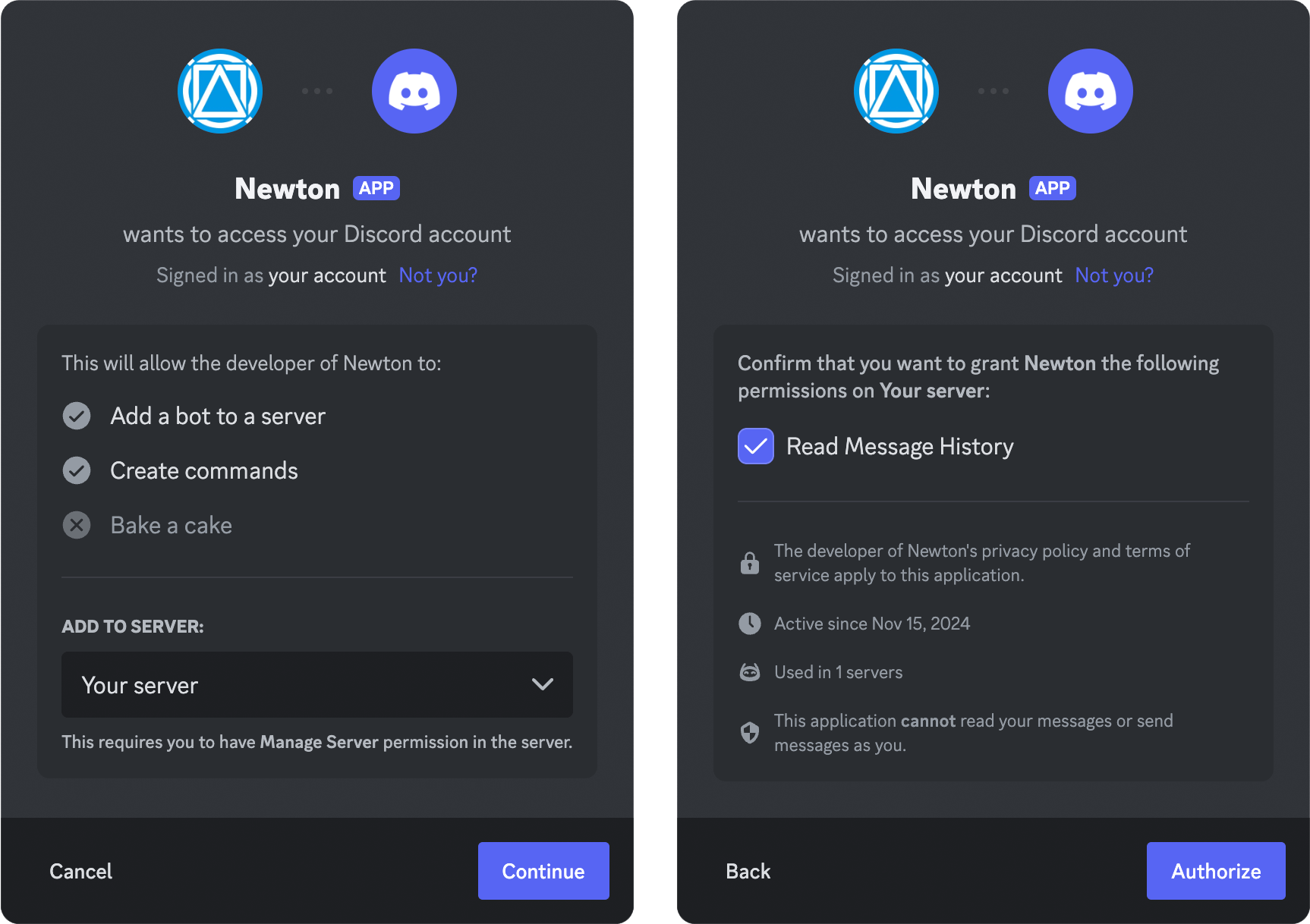
Step 3: Enable Aghanim integration
1. Copy the Channel ID from which you want to receive news
Go to the desired channel, copy the second number from the URL (in the example 2000000), or follow the article Where can I find my User/Server/Message ID.

2. Set up the integration
- Proceed to Aghanim Dashboard → Aghanim Connect → Discord News.
- Paste the received token and customize the correspondence of channels and News categories, e.g.:
2000000→ Updates
- Click “Install” button.
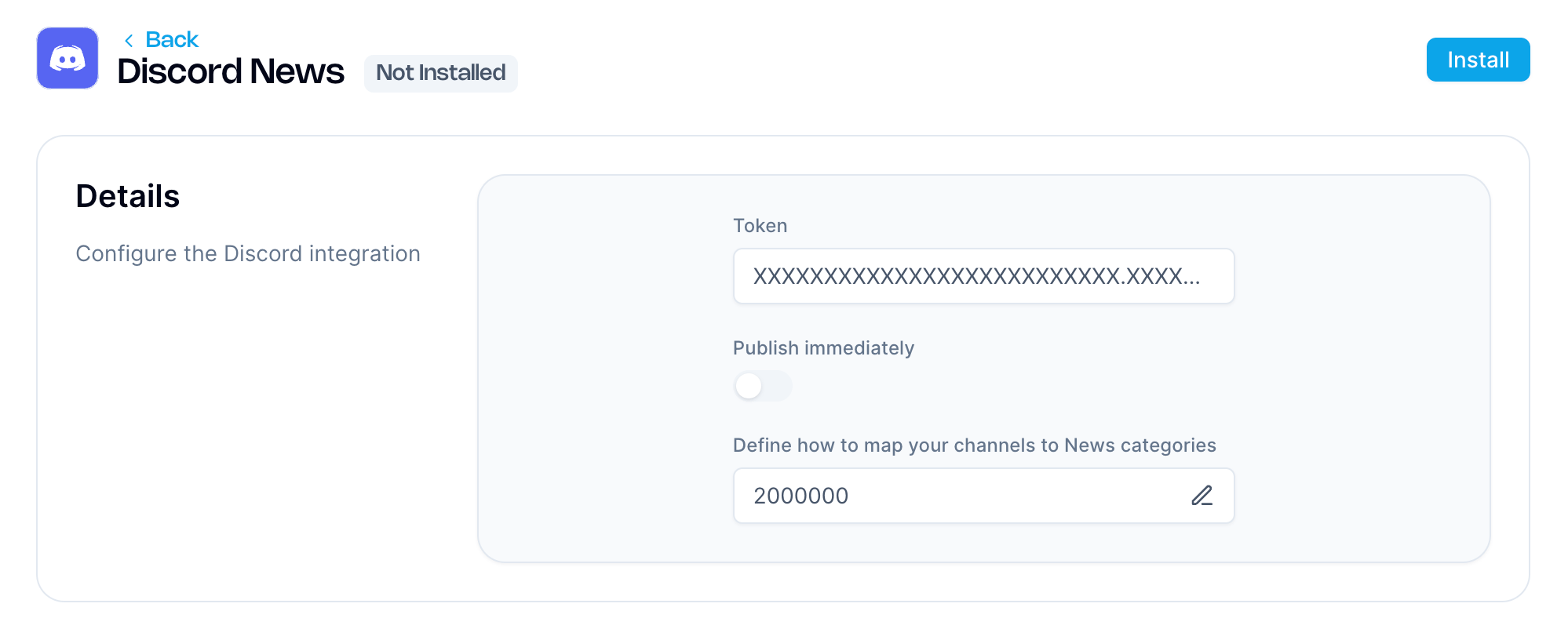
Announcements published in selected channels will now be automatically available in Game Hub Builder → News.
By default, such articles will not be automatically published on the hub, you can edit and publish them manually. To publish automatically, enable the “Publish immediately” option.
Need help?
Contact our integration team at integration@aghanim.com