Linking out Players to Get Free Items
Once you have integrated your game with Aghanim, you can enhance player interaction with the game hub by distributing redeem codes for free items right from your game. Use this for daily rewards, personal bonuses, and other incentives to keep your community active and rewarded.
To distribute these codes, you have two main options:
- Implement a Claim Free Item button in the game which takes players straight to the game hub's code redemption page.
- Use liveops campaigns to send redeem codes via mobile popups or push notifications when players reach certain milestones or finish tasks.
Implementing a "Claim Free Item" button within the game
To facilitate the redemption of free items through an in-game button (such as Claim Free Item or any other name you choose), you need to:
- Complete the initial integration with Aghanim.
- Create
free_itemcoupons via the API. Alternatively, use the Codes Dashboard section. - Implement the
item.addwebhook to automatically entitle items to players' accounts upon the redemption of codes. - Create the Claim Free Item button inside the game, providing players with the ability to claim free items (such as daily rewards, personalized bonuses, etc.) on the game hub.
- Incorporate a deep link into the Claim Free Item button, directing players to the game hub's redeem code page for seamless authentication and code redemption.
Notifying players about a free item via a mobile push or an in-game popup
To notify players about the opportunity to redeem free items through a mobile push or in-game popup, you need to:
- Complete the initial integration with Aghanim.
- Create
free_itemcoupons via the API. Alternatively, use the Codes Dashboard section. - Implement the
item.addwebhook to automatically credit items to players' accounts upon the redemption of codes. - Launch a liveops campaign to set in-game conditions for triggering a popup or mobile push about the redeem code and free item.
- Implement the
ingame.pushoringame.popupwebhook to return players the push message or in-game popup, sent by Aghanim based on the campaign's criteria. - Optionally, for popups, embed a deep link to the game hub's code redemption page directly within the popup's message.
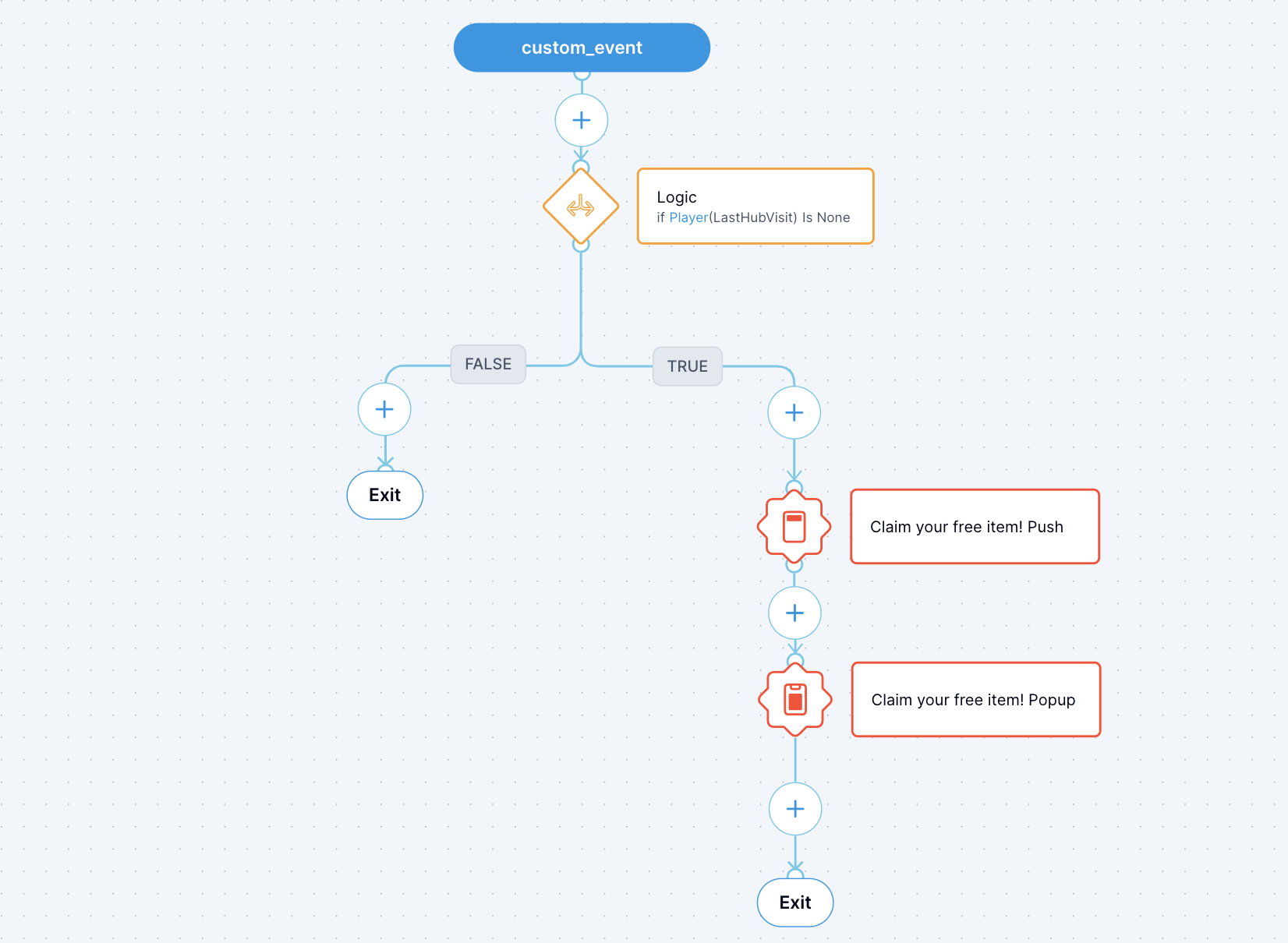
Campaign example for mobile push notifications
This campaign sends mobile push notifications and in-game popups to inform players, who have never visited the game hub, about a redeem code for a free item. Upon receiving the notification, players are directed to an in-game popup that mirrors the notification's message and includes a deep link to the game hub for redeem code activation and item claim.
Need help?
Contact our integration team at integration@aghanim.com