Item Add Webhook
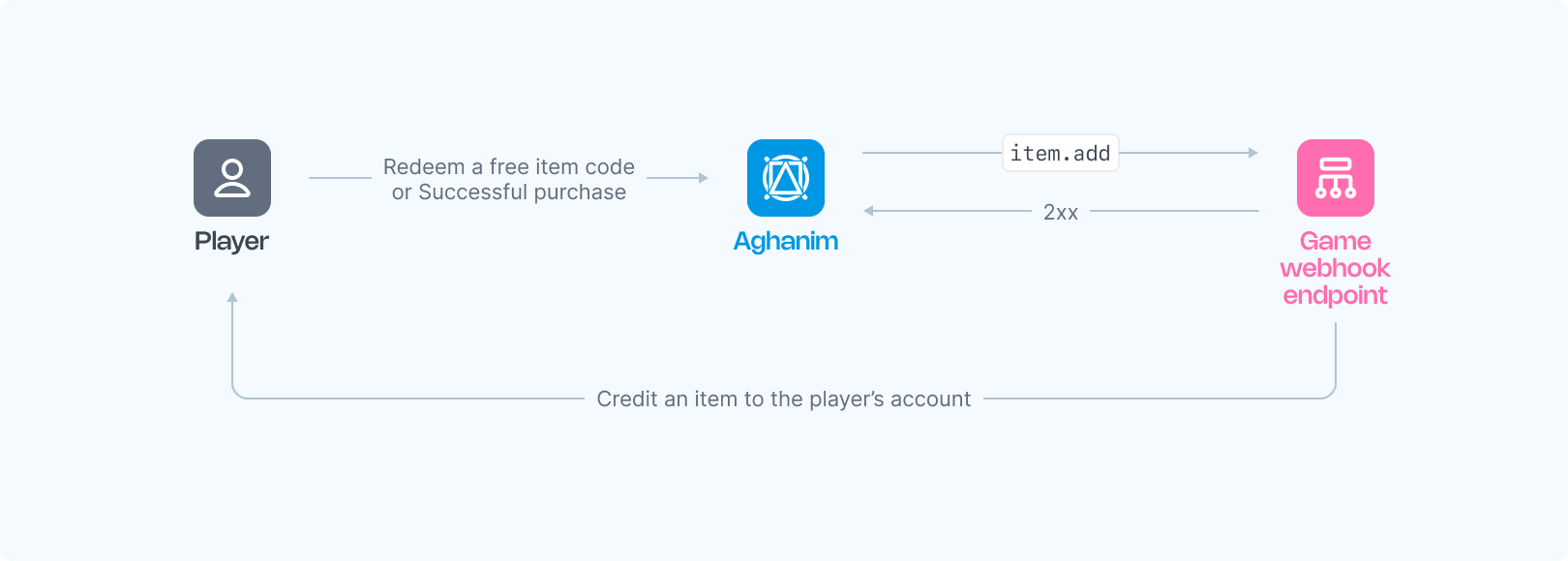
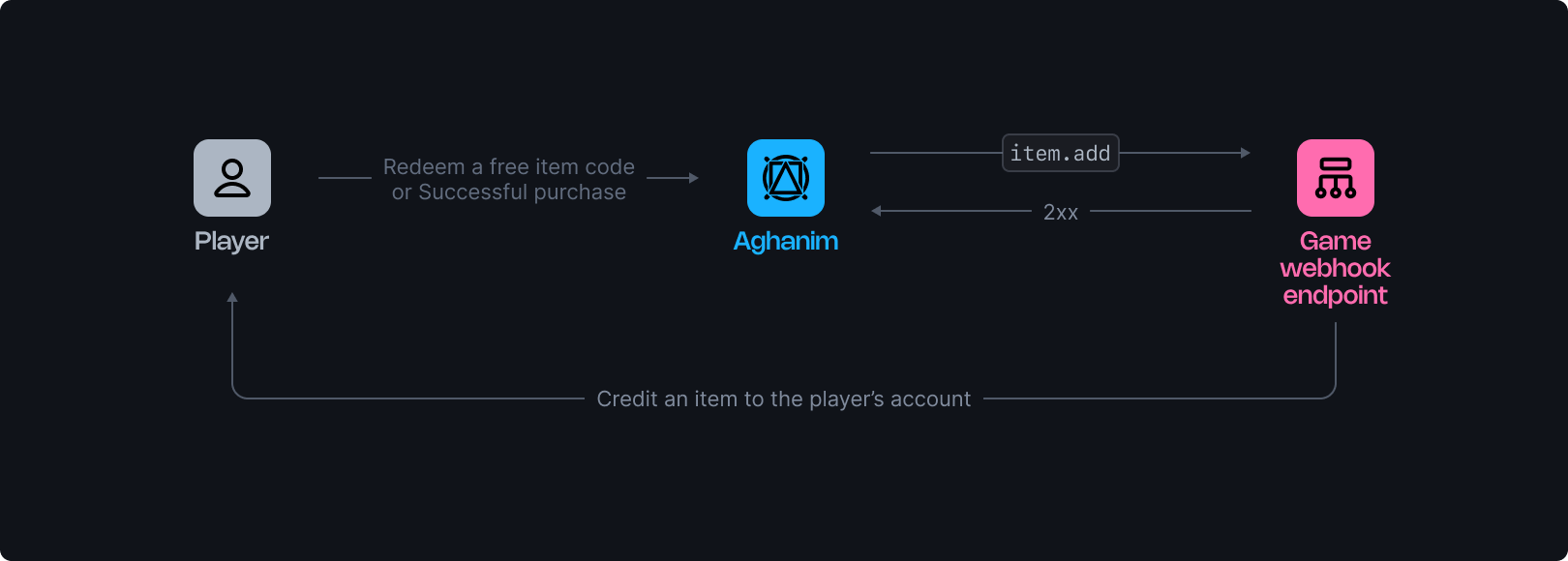
Aghanim offers a centralized webhook that alerts your game to credit items to a player's account based on their activities within the game hub. This webhook is triggered whenever a player takes an action that requires item crediting. This guide provides detailed insights into the functionality and setup of this webhook.
This webhook is triggered in the following cases:
- A player makes a purchase on the game hub
- A player redeems a free item code on the game hub
- A player claims a daily reward or loyalty program reward
Each alert includes a reason field with the justification for item crediting.
Requirements
To use the item.add webhooks from Aghanim, you should have the webhook server configured as follows:
- HTTPS endpoint, accepting POST webhook requests.
- Listen for events, generated and signed by Aghanim.
- Handle the
idempotency_keyincluded in the webhook payload to prevent processing duplicate webhooks. - Credit the specified item to a player's account.
- Respond with 2xx status codes to signal successful processing, and 4xx or 5xx for denial or errors.
Configuration
Below are function templates for an endpoint that processes Aghanim webhooks, alerting your game to credit items:
Once your function is ready:
- Make your endpoint available.
- Register your endpoint within Aghanim account → Game → Webhooks → New Webhook by choosing the corresponding event type.
Alternatively, you can register your endpoint within Aghanim using the Create Webhook API method.
The Event Data schema
| Key | Type | Description |
|---|---|---|
player_id | string | The unique Player ID chosen for player authentication. |
items | Item[] | An array of items to be credited to the player's account. |
reason | string | The human-readable reason triggered the webhook. Example: Order paid ord_eCacAulggpY. |
item_id | string | [Deprecated] Item ID generated by Aghanim. |
sku | string | [Deprecated] Item SKU matching on both the game and Aghanim sides. |
Need help?
Contact our integration team at integration@aghanim.com