Store Get Webhook
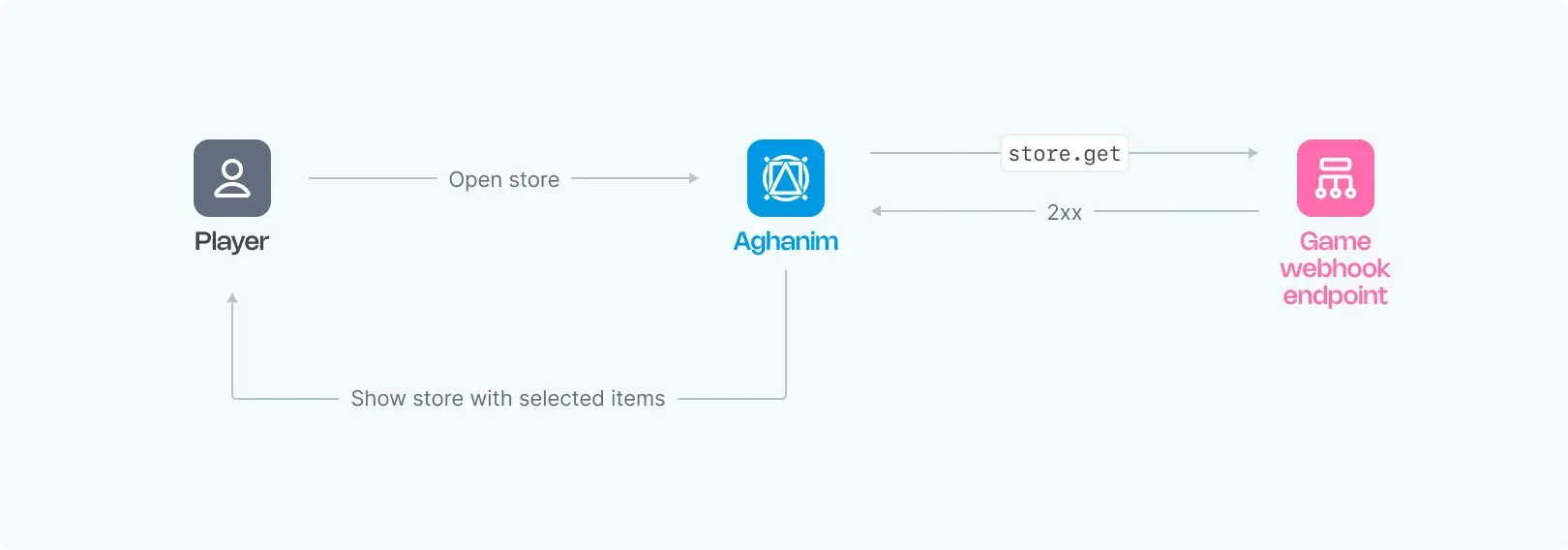
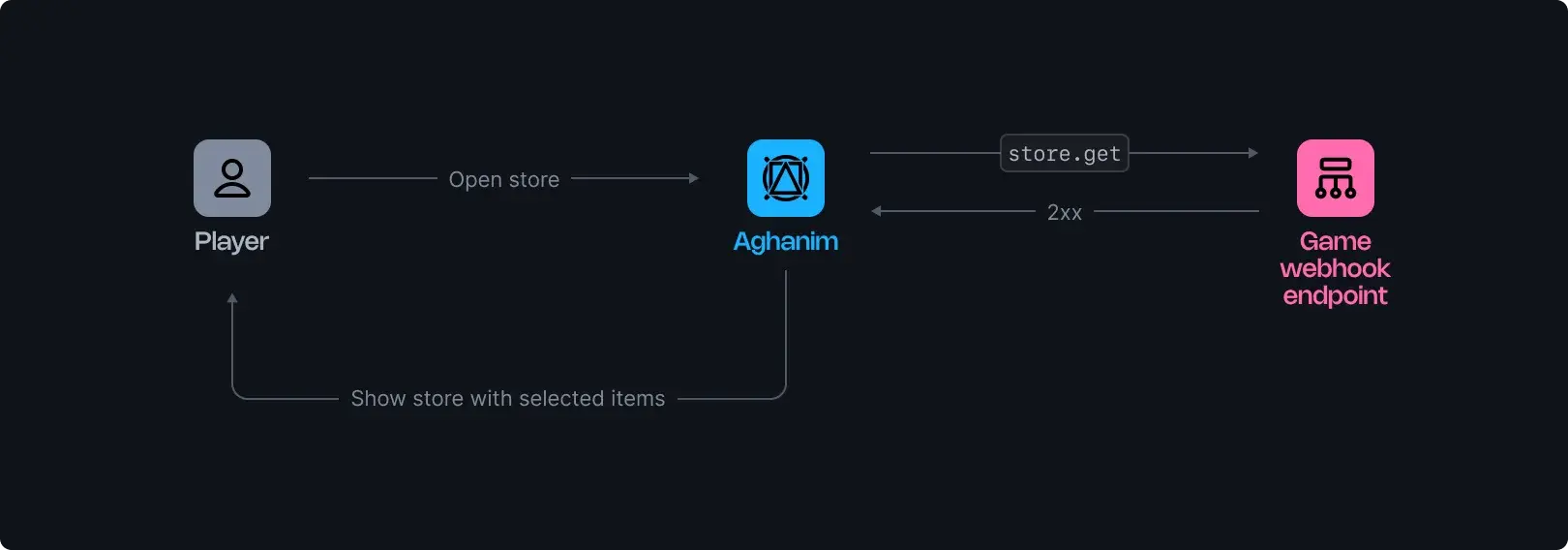
The store.get webhook retrieves a list of items available for a player in the Game Hub store. This is useful for displaying the store content based on game logic.
This webhook is triggered in the following cases:
- A player logs in to the game hub.
- A player opens the store.
- A player makes a purchase.
Requirements
To use the store.get webhooks from Aghanim, you should have the webhook server configured as follows:
- HTTPS endpoint, accepting POST webhook requests.
- Listen for events, generated and signed by Aghanim.
- Respond with 2xx status codes to signal successful processing, and 4xx or 5xx for denial or errors.
Configuration
- Develop a function for the
store.getwebhook processing. - Make your endpoint available.
- Register your endpoint within Aghanim account → Game → Webhooks → New Webhook by choosing the
store.getevent type.
Alternatively, you can register your endpoint within Aghanim using the Create Webhook API method.
The Event Data schema
| Key | Type | Description |
|---|---|---|
player_id | string | The unique Player ID chosen for player authentication. |
Response schema
Upon a successful response, your server is expected to return a status code in the 2xx range and the following JSON payload:
| Key | Type | Description | Required? |
|---|---|---|---|
items | Item[] | An array of items available for the player in the store. | Yes |
The item schema
| Key | Type | Description | Required? |
|---|---|---|---|
sku | string | Item SKU matching on both the game and Aghanim sides. | Yes |
start_at | number|null | The unix-timestamp when the item becomes available to the player. | No |
end_at | number|null | The unix-timestamp when the item expires and is no longer available to the player. | No |
Successful response example:
{
  "items": [
    {
      "sku": "crystals"
    },
    {
      "sku": "shield",
      "start_at": 1630000000,
      "end_at": 1635000000
    }
  ]
}
Need help?
Contact our integration team at integration@aghanim.com